
25 Dec 2025


View results and download the website source code to your computer
To view results and download the website source code to your computer, you need process
follow some steps, includes:
1.1. First step: You need login into createWebAI.Com
You need to follow the instructions in SECTION 3 of the following article:
If you don't have an account in this site, so you can create a free account like SECTION 1 in above article.
1.2. Second step: Open the History window
In Dashboad window, you click on Avatar Image (1) => You click on History (3) option like Illustration 1 bellows:
Illustration 1: User Dashboard Interface
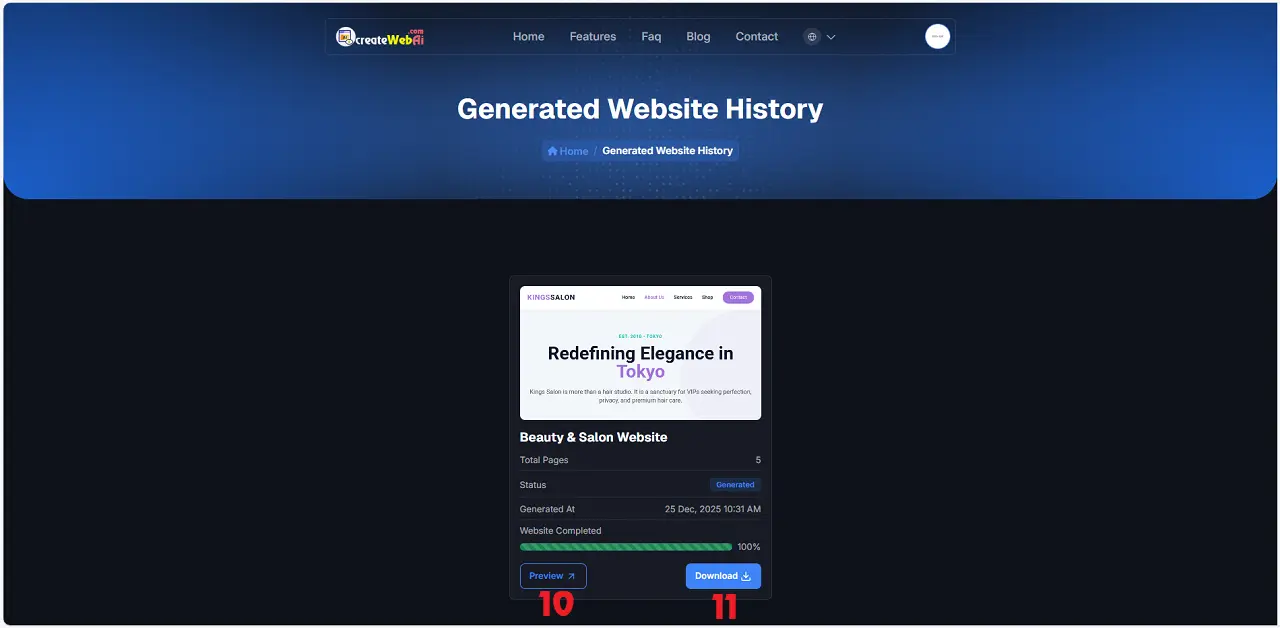
Illustration 2: The result of website design by AI
1.3. Third step: Download Source Code of your website to your PC
In Generated Website History window, you click on Download (11) button to download the source code of your website to your pc.
* Note: To preview the website, click the Preview (10) button.
The website interface was created by createWebAI.Com