25 Dec 2025
In Change Password window, you need change your password here, includes:
How to update your account information?
1. How to change your profile settings?
To change your profile settings, you need process follow some steps, includes:
1.1. First step: You need login into createWebAI.Com
You need to follow the instructions in SECTION 3 of the following article:
If you don't have an account in this site, so you can create a free account like SECTION 1 in above article.
1.2. Second step: Open the profile settings window
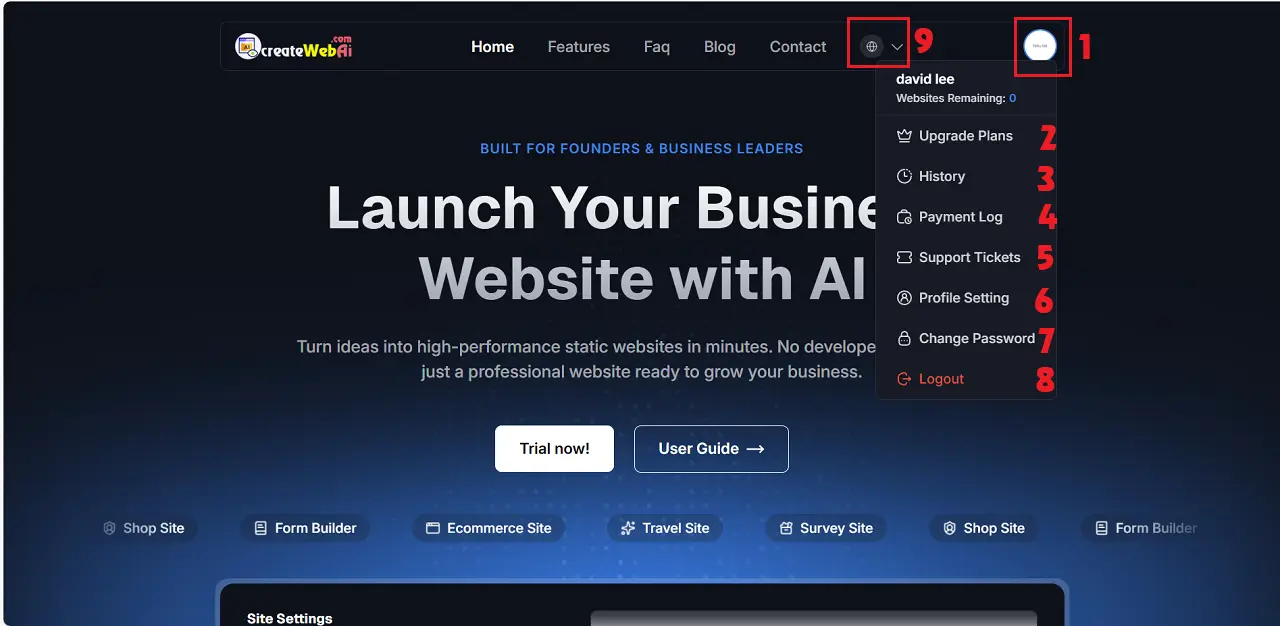
In Dashboad window, you click on Avatar Image (1) => You click on Profile Settings (6) option like Illustration 1 bellows:
Illustration 1: User Dashboard Interface
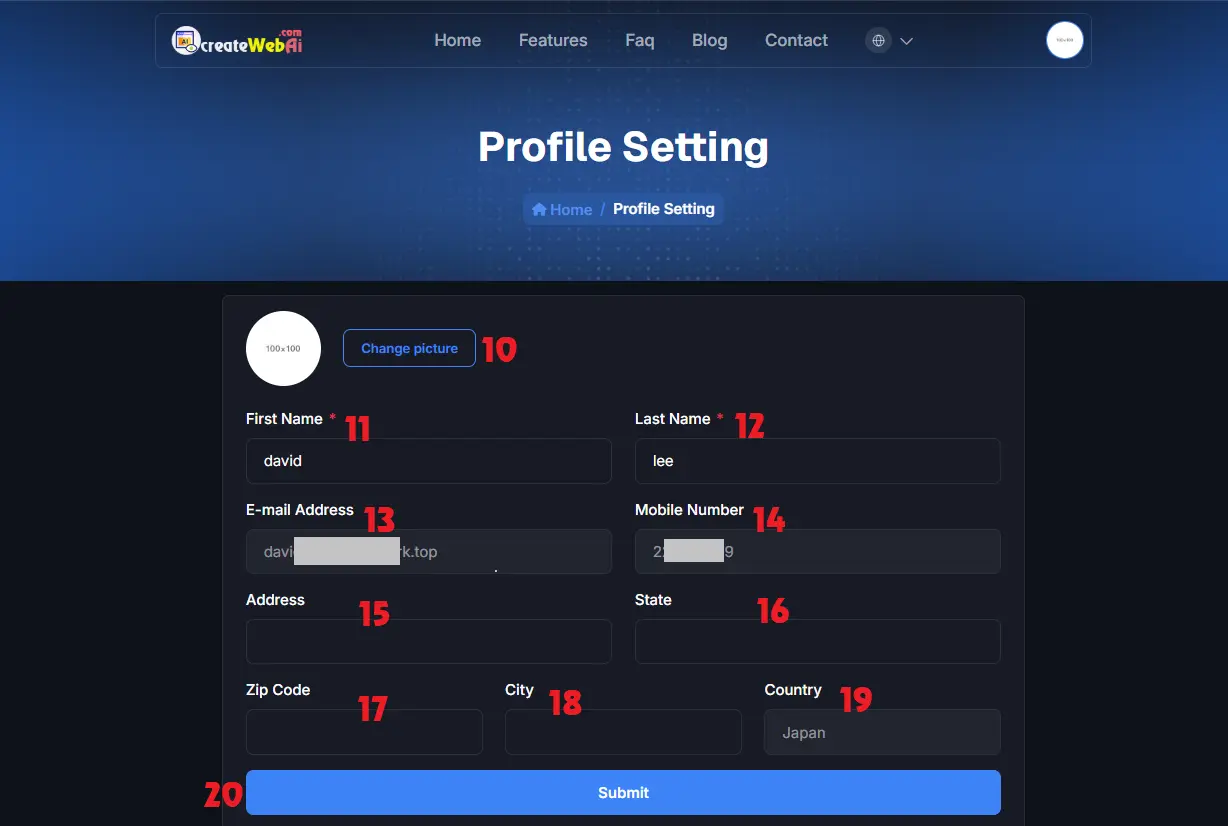
Illustration 2: Profile Settings Interface
In Profile Settings window, you need change your account information here => Final, you click on SUBMIT (20) button to finish.
2. How to change your account password?
To change your account password, you click on Change Password (7) option like Illustration 1 above.
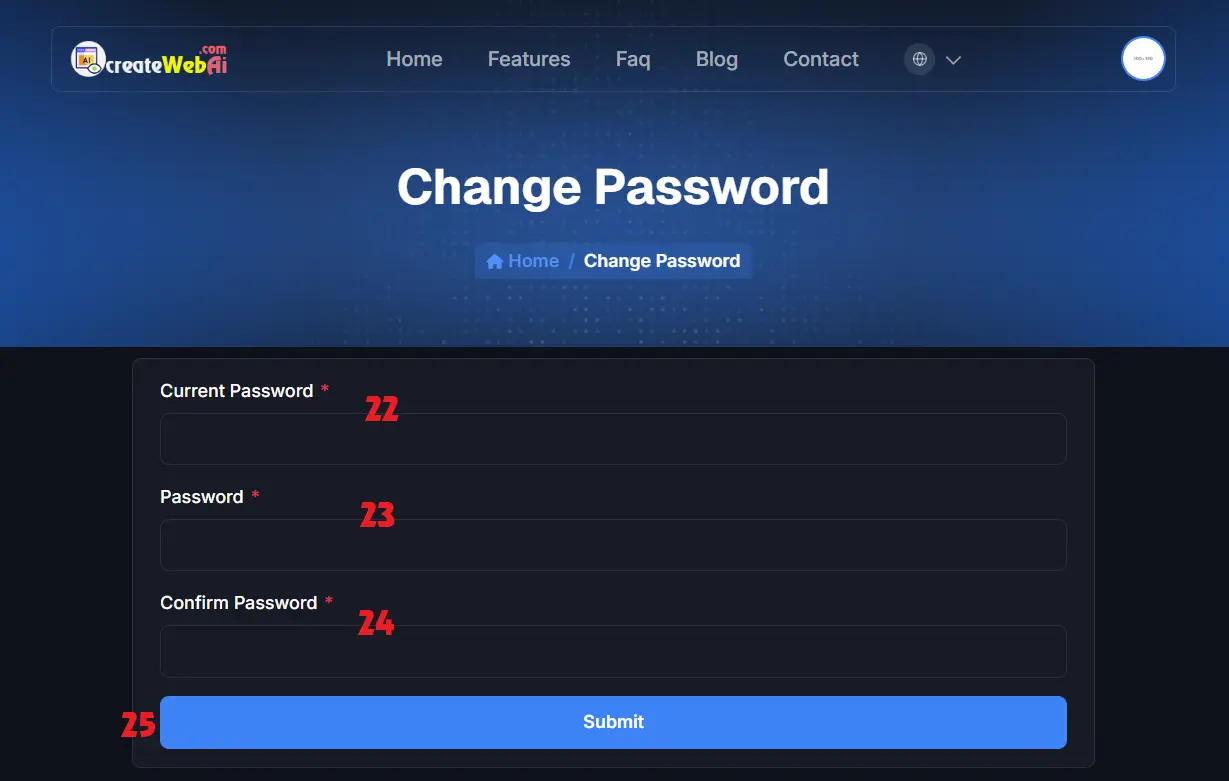
Illustration 3: Change Password Interface
+ Current Password (22) box: You input your current password here.+ Password (23) box and Confirm Password (24) box: You need input your new password there.=> Final, you click on SUBMIT (25) button to finish.