
25 Dec 2025
How can I use all the features of createWebAI.com?
To fully utilize the features of createWebAI.com, especially the AI-powered website creation features, you need to upgrade your account to a higher tier. To upgrade, follow these steps:
1. First step: You need login into createWebAI.Com
You need to follow the instructions in SECTION 3 of the following article:
If you don't have an account in this site, so you can create a free account like SECTION 1 in above article.
2. Second step: Open the Pricing window
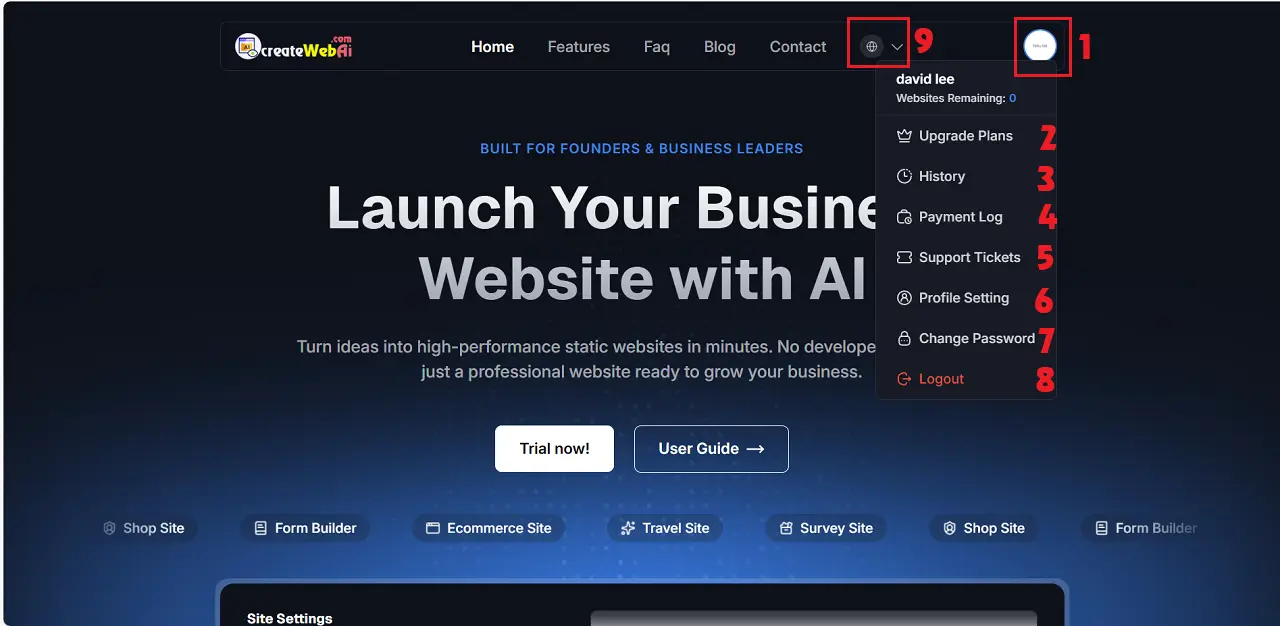
In Dashboad window, you click on Avatar Image (1) => You click on Upgrade Plans (2) option like Illustration 1 bellows:
Illustration 1: User Dashboard Interface
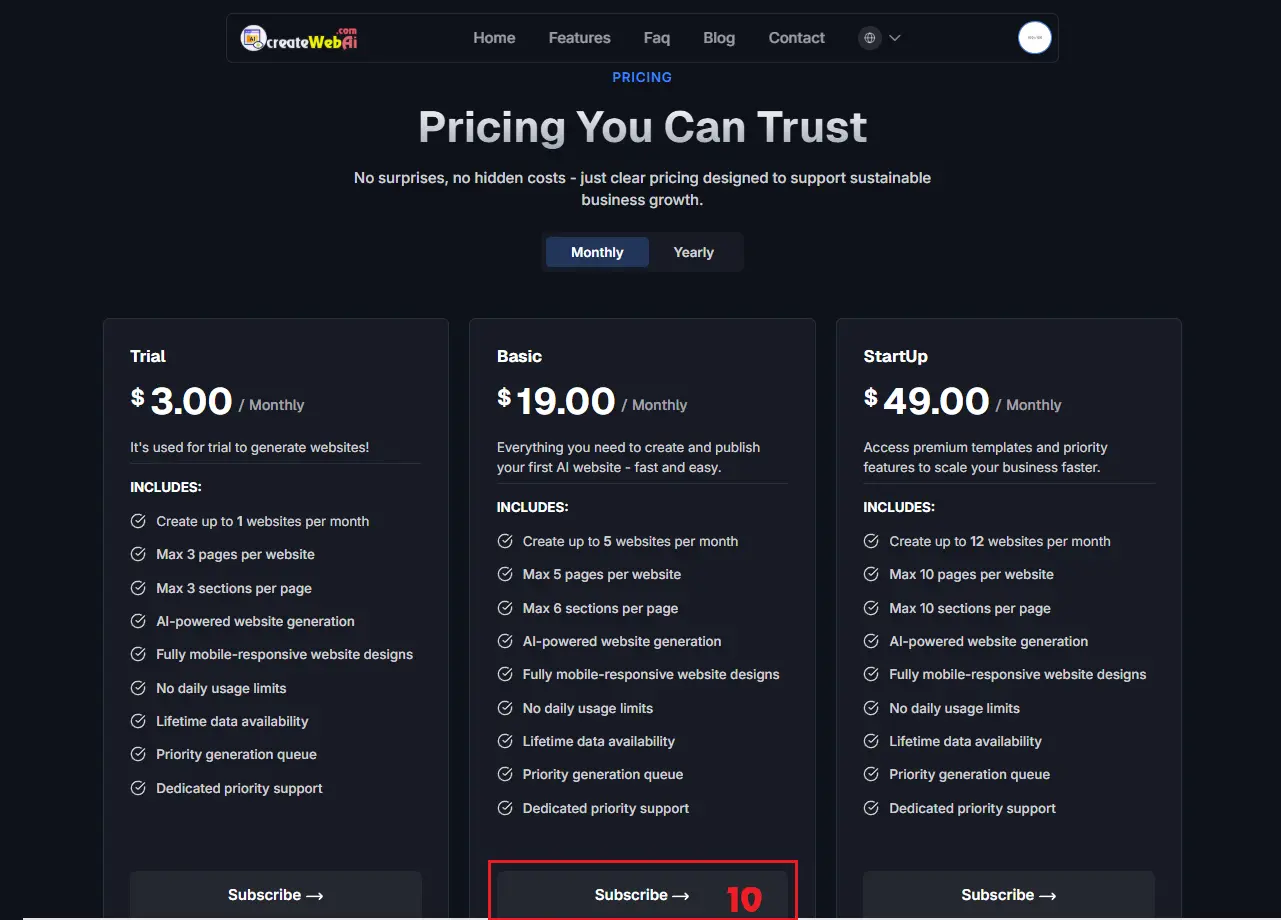
Illustration 2: Pricing window
In Pricing window like Illustration 2 above, you choose the suitable plan then you click on SUBCRIBE-> (10) button of that plan => When the confirm Subcription window shows, you click on YES button to continues.
3. Third step: Pay for Your Subcription
In Payment Method window, you choose the suitable payment method (11) in left side => Then you click on Confirm Payment (12) button to Process => Next, follow the system's instructions to complete the payment.
Once payment is complete, you can use all the features of createWebAI.com.
4. Note:
4.1. How to see the payment logs?
To see the payment logs, you need click on Payment Log (4) option like Illustration 1 then you can see it.
4.2. During the process, if you encounter any difficulties, you can contact the Administration Team through the Contact menu for assistance.